Package Audit Logging
In v1.1.9, we introduced a comprehensive Audit Logging system to explicitly track changes made to packages. This is particularly crucial for identifying edits made after a package has already been synchronized with a courier API.
Overview
Whenever a critical field on a package is modified (e.g., Weight, Shipper, Customer Info, Tracking Number), the system records an immutable audit log. This log captures:- Date and Time of the change.
- The User who made the change.
- The specific Field that was altered.
- The Old Value and the New Value.
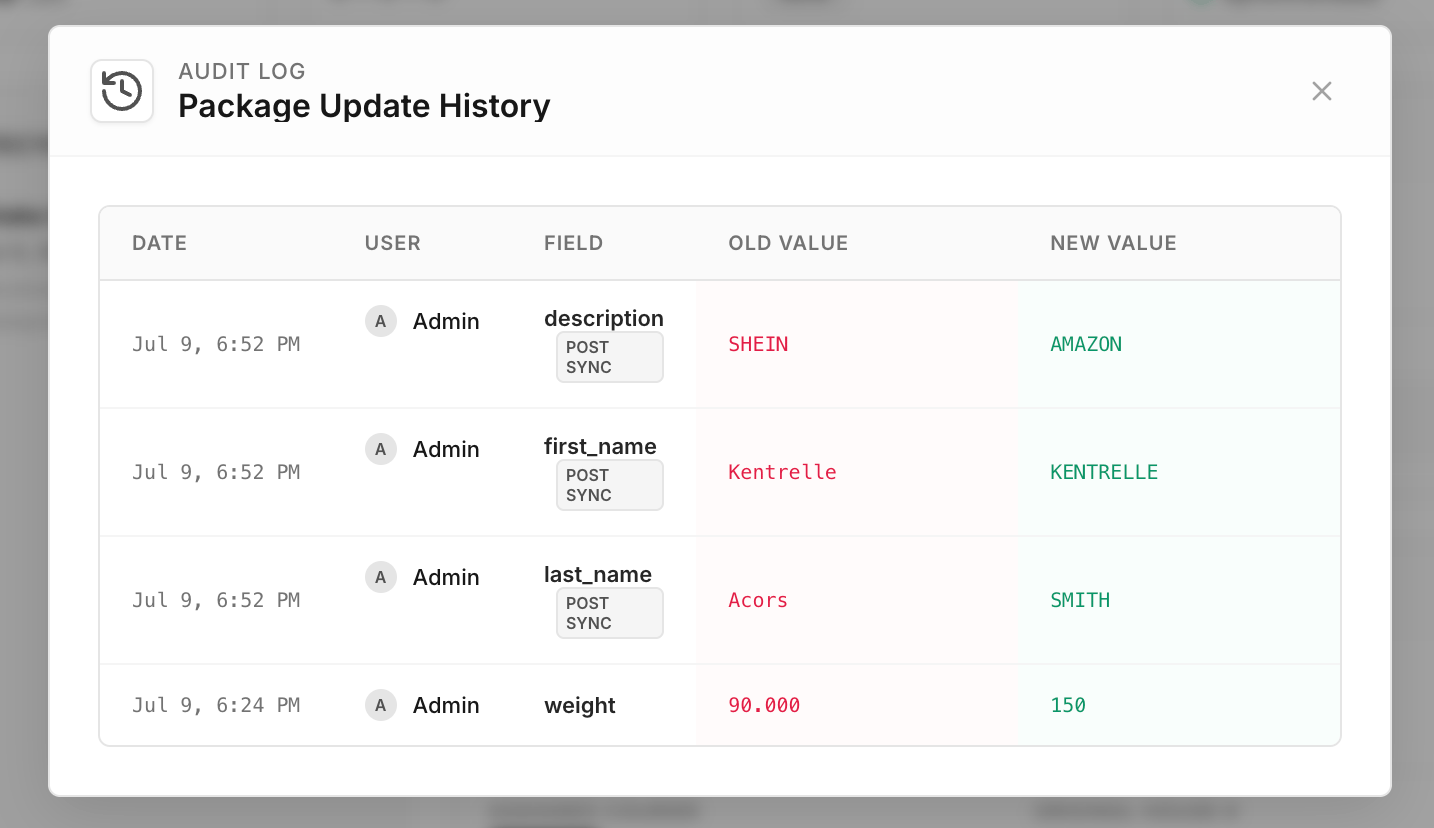
Sync State Preservation
Previously, updating a package would forcefully reset itsis_synced status to 0 (Pending Sync). With the new audit logging system, package edits no longer strip the synchronized status. The package remains is_synced = 1, but any modifications are accurately recorded and flagged.
Viewing the Edit History
- Navigate to the Packages or Claims page.
- Locate a package in the list.
- If the package has been edited since its last sync, a “Post Sync” (PS) indicator or a File Edit icon will appear next to its sync status.
- Click this icon, or open the Package Details modal and click the Updates button in the top right.
- A clean, tabular view will display the complete timeline of changes.
Sync Logs Revamp
In addition to edit tracking, the Sync Logs (found at the bottom of the Package Details modal) have been completely redesigned for easier debugging:- Side-by-Side View: Clicking the Details button on a sync log entry now expands a full-width JSON viewer.
- Request & Response: You can now view the exact Request Payload sent to the courier alongside the raw Response Body returned by the courier API, formatted with proper syntax highlighting.